How to Connect Alexa to Spotify: Quick & Simple Steps
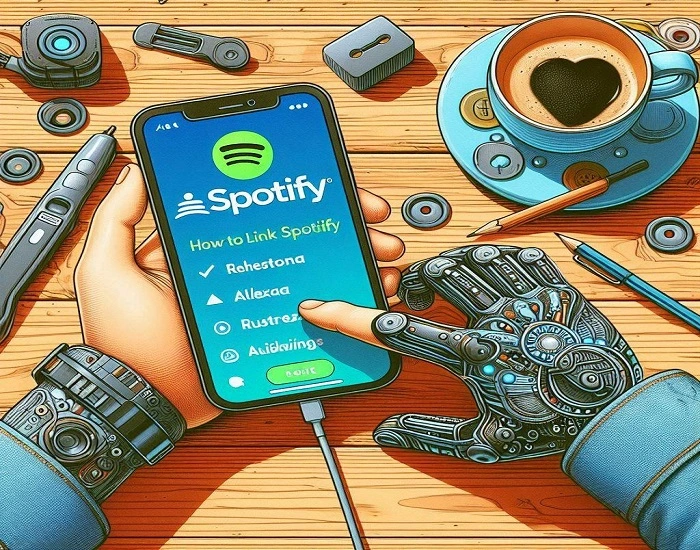
Connecting Alexa to Spotify allows you to control your music completely hands-free using voice commands. Whether you want to play your favorite playlists, discover new songs, or set Spotify as your default music service, Alexa makes it simple. In this guide, you will learn how to connect Alexa to Spotify, set it as the default player, use voice commands, and troubleshoot common issues.
How to Connect Alexa to Spotify: Step-by-Step Guide
Follow these steps to link Spotify with Alexa using the Alexa app:
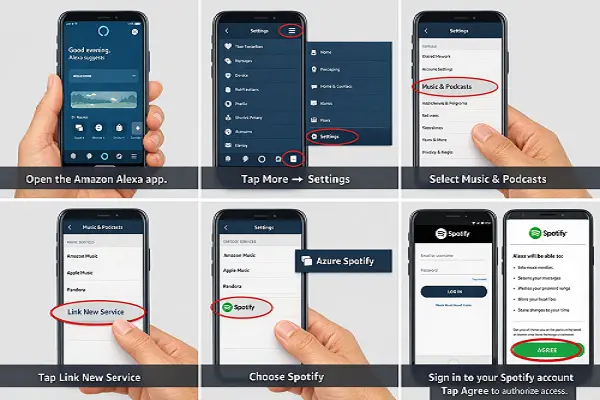
How to Link Spotify Accounts on Alexa?
To link your Spotify account with Alexa:
How to Set Spotify as Default Player on Alexa?
Setting Spotify as your default music player ensures Alexa automatically uses Spotify without asking.
“Alexa, play music”
…and Spotify will play automatically.
How to Connect Alexa to Spotify without App?
You cannot fully link Spotify to Alexa without the Alexa app. However, once it’s linked, you can control Spotify without opening any app using voice commands like:
1. “Alexa, play Spotify”
2. “Alexa, play my liked songs”
3. “Alexa, play today’s top hits”
List of Alexa Devices that Support Spotify
Spotify is supported on most Alexa-enabled devices, including:
Can You Link Multiple Spotify Accounts to Alexa?
Yes, Alexa supports multiple Spotify accounts through Amazon Household. Each user can:
Alexa will recognize voices and play music from the correct Spotify account.
Conclusion
Connecting Alexa to Spotify is quick, simple, and enhances your music experience with hands-free control. Whether you’re using Spotify Free or Premium, Alexa lets you play songs, playlists, and podcasts effortlessly across supported devices. By setting Spotify as your default player and using voice commands, you can enjoy seamless music streaming anytime.